Functions:
| Name | Description |
|---|---|
cutout | Image 내에서 지정한 좌표를 제외한 부분을 투명화 |
pad | 입력 image를 원하는 shape로 resize 및 pad |
transparent | 입력 image에 대해 |
cutout(img: NDArray[uint8], poly: list[int | float] | NDArray[DTypeLike], alpha: int = 255, crop: bool = True, background: int = 0) -> NDArray[uint8]
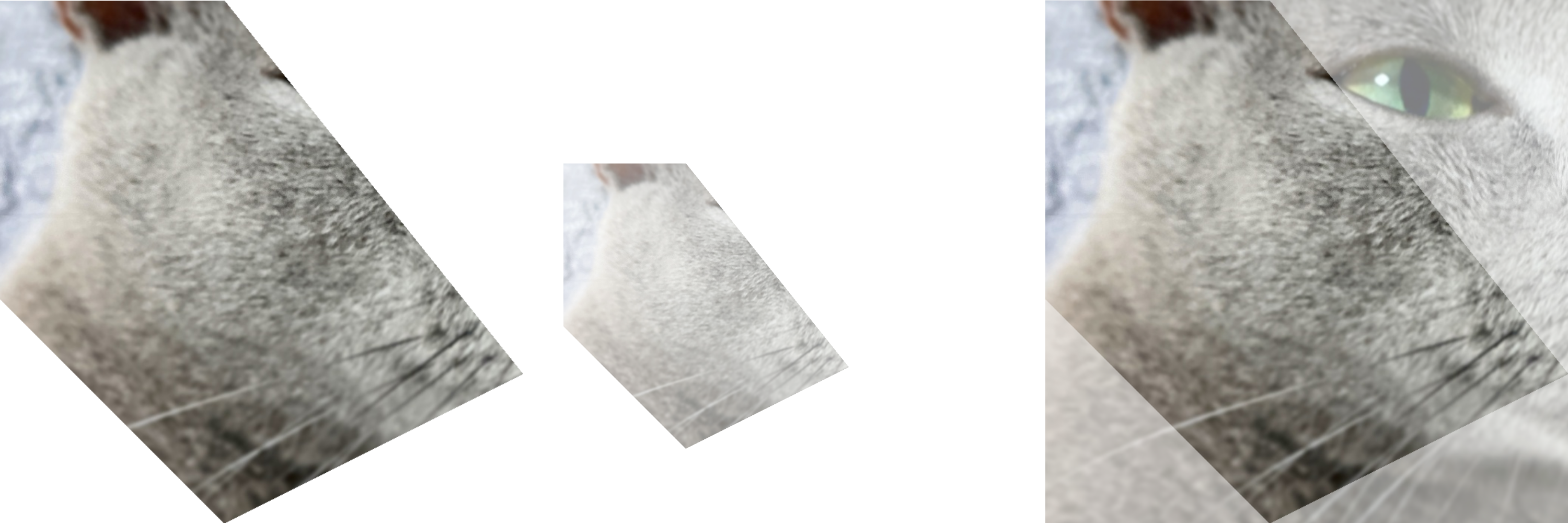
Image 내에서 지정한 좌표를 제외한 부분을 투명화
Parameters:
| Name | Type | Description | Default |
|---|---|---|---|
img | NDArray[uint8] | 입력 image ( | required |
poly | list[int | float] | NDArray[DTypeLike] | 지정할 좌표 ( | required |
alpha | int | 지정한 좌표 영역의 투명도 | 255 |
crop | bool | 출력 image의 Crop 여부 | True |
background | int | 지정한 좌표 외 배경의 투명도 | 0 |
Returns:
| Type | Description |
|---|---|
NDArray[uint8] | 출력 image ( |
Examples:
>>> poly = np.array([[100, 400], [400, 400], [800, 900], [400, 1100], [100, 800]])
>>> res1 = zz.vision.cutout(img, poly)
>>> res2 = zz.vision.cutout(img, poly, 128, False)
>>> res3 = zz.vision.cutout(img, poly, background=128)
Source code in zerohertzLib/vision/transform.py
pad(img: NDArray[uint8], shape: tuple[int, int], color: tuple[int, int, int] = (255, 255, 255), poly: NDArray[DTypeLike] | None = None) -> tuple[NDArray[uint8], tuple[float, int, int] | NDArray[DTypeLike]]
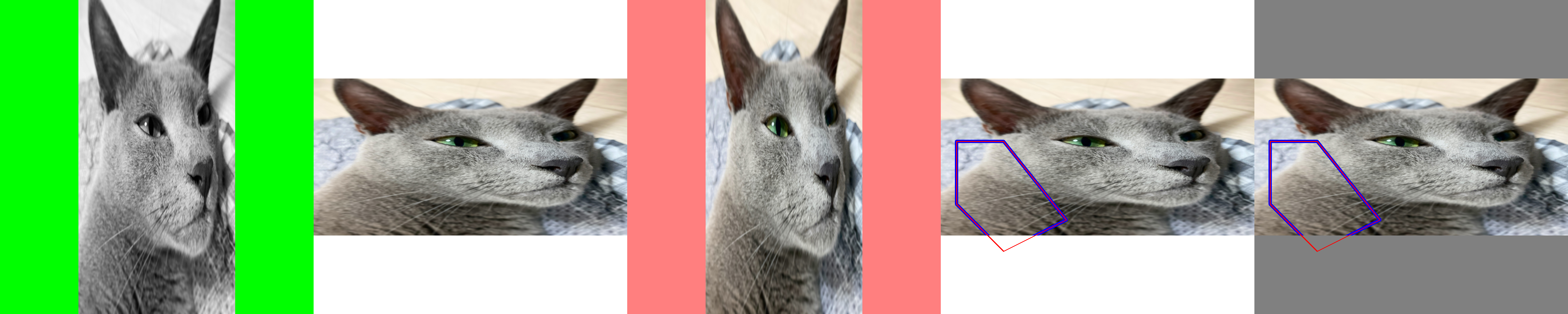
입력 image를 원하는 shape로 resize 및 pad
Parameters:
| Name | Type | Description | Default |
|---|---|---|---|
img | NDArray[uint8] | 입력 image ( | required |
shape | tuple[int, int] | 출력의 shape | required |
color | tuple[int, int, int] | Padding의 색 | (255, 255, 255) |
poly | NDArray[DTypeLike] | None | Padding에 따라 변형될 좌표 ( | None |
Returns:
| Type | Description |
|---|---|
tuple[NDArray[uint8], tuple[float, int, int] | NDArray[DTypeLike]] | 출력 image ( |
Note
poly 를 입력하지 않을 시 (ratio, left, top) 가 출력되며 poly * ratio + (left, top) 와 같이 차후에 변환 가능
Examples:
GRAY:
>>> img = cv2.cvtColor(img, cv2.COLOR_BGRA2GRAY)
>>> res1 = cv2.resize(img, (500, 1000))
>>> res1, _ = zz.vision.pad(res1, (1000, 1000), color=(0, 255, 0))
>>> img = cv2.cvtColor(img, cv2.COLOR_BGR2BGRA)
>>> res3 = cv2.resize(img, (500, 1000))
>>> res3, _ = zz.vision.pad(res3, (1000, 1000), color=(0, 0, 255, 128))
>>> poly = np.array([[100, 400], [400, 400], [800, 900], [400, 1100], [100, 800]])
>>> res4 = cv2.resize(img, (2000, 1000))
>>> res4 = zz.vision.bbox(res4, poly, color=(255, 0, 0), thickness=20)
>>> res4, poly = zz.vision.pad(res4, (1000, 1000), poly=poly)
>>> res4 = zz.vision.bbox(res4, poly, color=(0, 0, 255))
>>> poly = np.array([[100, 400], [400, 400], [800, 900], [400, 1100], [100, 800]])
>>> res5 = cv2.resize(img, (2000, 1000))
>>> res5 = zz.vision.bbox(res5, poly, color=(255, 0, 0), thickness=20)
>>> res5, info = zz.vision.pad(res5, (1000, 1000), color=(128, 128, 128))
>>> poly = poly * info[0] + info[1:]
>>> res5 = zz.vision.bbox(res5, poly, color=(0, 0, 255))
Source code in zerohertzLib/vision/transform.py
입력 image에 대해 threshold 미만의 pixel들을 투명화
Parameters:
| Name | Type | Description | Default |
|---|---|---|---|
img | NDArray[uint8] | 입력 image ( | required |
threshold | int | Threshold | 128 |
reverse | bool |
| False |
Returns:
| Type | Description |
|---|---|
NDArray[uint8] | 출력 image ( |
Examples: