Skip to content

zerohertzLib.vision.compare

Functions:

Name Description
before_after

두 image를 비교하는 image 생성

grid

여러 image를 입력받아 정방형 image로 병합

vert

여러 image를 입력받아 가로 image로 병합

_rel2abs

_rel2abs(x_0: float, y_0: float, x_1: float, y_1: float, width: int, height: int) -> list[int]
Source code in zerohertzLib/vision/compare.py
def _rel2abs(
    x_0: float, y_0: float, x_1: float, y_1: float, width: int, height: int
) -> list[int]:
    return [
        int(x_0 * width / 100),
        int(y_0 * height / 100),
        int(x_1 * width / 100),
        int(y_1 * height / 100),
    ]

before_after

before_after(before: NDArray[uint8], after: NDArray[uint8], area: list[int | float] | None = None, per: bool = True, quality: int = 100, file_name: str = 'tmp') -> None

두 image를 비교하는 image 생성

Parameters:

Name Type Description Default
before NDArray[uint8]

원본 image

required
after NDArray[uint8]

영상 처리 혹은 모델 추론 후 image

required
area list[int | float] | None

비교할 좌표 ([x_0, y_0, x_1, y_1])

None
per bool

area 의 백분율 여부

True
quality int

출력 image의 quality (단위: %)

100
file_name str

저장될 file의 이름

'tmp'

Returns:

Type Description
None

현재 directory에 바로 image 저장

Examples:

BGR, GRAY:

>>> after = cv2.GaussianBlur(before, (0, 0), 25)
>>> after = cv2.cvtColor(after, cv2.COLOR_BGR2GRAY)
>>> zz.vision.before_after(before, after, quality=10)
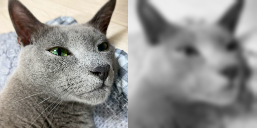
Before after comparison 1 BGR, Resize:
>>> after = cv2.resize(before, (100, 100))
>>> zz.vision.before_after(before, after, [20, 40, 30, 60])
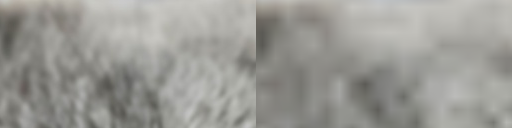
Before after comparison 2

Source code in zerohertzLib/vision/compare.py
def before_after(
    before: NDArray[np.uint8],
    after: NDArray[np.uint8],
    area: list[int | float] | None = None,
    per: bool = True,
    quality: int = 100,
    file_name: str = "tmp",
) -> None:
    """두 image를 비교하는 image 생성

    Args:
        before: 원본 image
        after: 영상 처리 혹은 모델 추론 후 image
        area: 비교할 좌표 (`[x_0, y_0, x_1, y_1]`)
        per: `area` 의 백분율 여부
        quality: 출력 image의 quality (단위: %)
        file_name: 저장될 file의 이름

    Returns:
        현재 directory에 바로 image 저장

    Examples:
        BGR, GRAY:
            ```python
            >>> after = cv2.GaussianBlur(before, (0, 0), 25)
            >>> after = cv2.cvtColor(after, cv2.COLOR_BGR2GRAY)
            >>> zz.vision.before_after(before, after, quality=10)
            ```
        ![Before after comparison 1](../../../assets/vision/before_after.1.png){ width="300" }
        BGR, Resize:
            ```python
            >>> after = cv2.resize(before, (100, 100))
            >>> zz.vision.before_after(before, after, [20, 40, 30, 60])
            ```
        ![Before after comparison 2](../../../assets/vision/before_after.2.png){ width="300" }
    """
    before_shape = before.shape
    if area is None:
        if per:
            area = [0.0, 0.0, 100.0, 100.0]
        else:
            raise ValueError("'area' not provided while 'per' is False")
    if per:
        x_0, y_0, x_1, y_1 = _rel2abs(*area, *before_shape[:2])
    else:
        x_0, y_0, x_1, y_1 = area
    before = _cvt_bgra(before)
    before_shape = before.shape
    after = _cvt_bgra(after)
    after_shape = after.shape
    if not before_shape == after_shape:
        after = cv2.resize(after, before_shape[:2][::-1])
        after_shape = after.shape
    before, after = before[x_0:x_1, y_0:y_1, :], after[x_0:x_1, y_0:y_1, :]
    before_shape = before.shape
    height, width, channel = before_shape
    palette = np.zeros((height, 2 * width, channel), dtype=np.uint8)
    palette[:, :width, :] = before
    palette[:, width:, :] = after
    palette = cv2.resize(palette, (0, 0), fx=quality / 100, fy=quality / 100)
    cv2.imwrite(f"{file_name}.png", palette)

grid

grid(imgs: list[NDArray[uint8]], size: int = 1000, color: tuple[int, int, int] = (255, 255, 255), file_name: str = 'tmp') -> None

여러 image를 입력받아 정방형 image로 병합

Parameters:

Name Type Description Default
imgs list[NDArray[uint8]]

입력 image

required
size int

출력 image의 크기

1000
color tuple[int, int, int]

Padding의 색

(255, 255, 255)
file_name str

저장될 file의 이름

'tmp'

Returns:

Type Description
None

현재 directory에 바로 image 저장

Examples:

>>> imgs = [cv2.resize(img, (random.randrange(300, 1000), random.randrange(300, 1000))) for _ in range(8)]
>>> imgs[2] = cv2.cvtColor(imgs[2], cv2.COLOR_BGR2GRAY)
>>> imgs[3] = cv2.cvtColor(imgs[3], cv2.COLOR_BGR2BGRA)
>>> zz.vision.grid(imgs)
>>> zz.vision.grid(imgs, color=(0, 255, 0))
>>> zz.vision.grid(imgs, color=(0, 0, 0, 0))
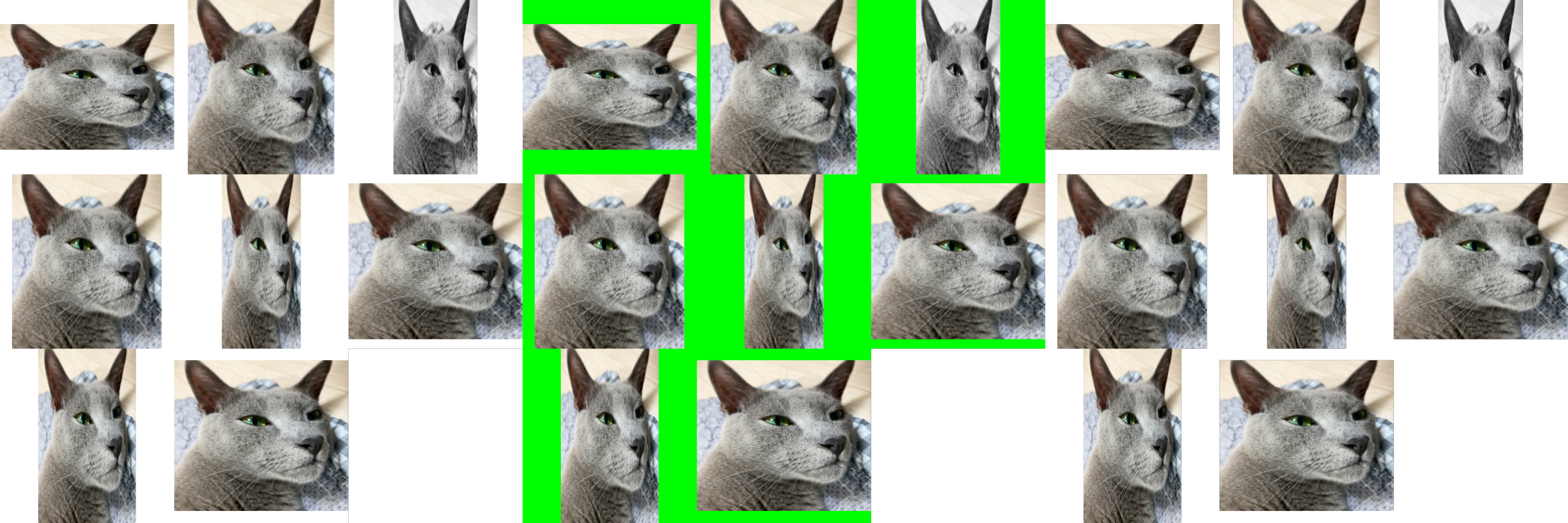
Image grid example

Source code in zerohertzLib/vision/compare.py
def grid(
    imgs: list[NDArray[np.uint8]],
    size: int = 1000,
    color: tuple[int, int, int] = (255, 255, 255),
    file_name: str = "tmp",
) -> None:
    """여러 image를 입력받아 정방형 image로 병합

    Args:
        imgs: 입력 image
        size: 출력 image의 크기
        color: Padding의 색
        file_name: 저장될 file의 이름

    Returns:
        현재 directory에 바로 image 저장

    Examples:
        >>> imgs = [cv2.resize(img, (random.randrange(300, 1000), random.randrange(300, 1000))) for _ in range(8)]
        >>> imgs[2] = cv2.cvtColor(imgs[2], cv2.COLOR_BGR2GRAY)
        >>> imgs[3] = cv2.cvtColor(imgs[3], cv2.COLOR_BGR2BGRA)
        >>> zz.vision.grid(imgs)
        >>> zz.vision.grid(imgs, color=(0, 255, 0))
        >>> zz.vision.grid(imgs, color=(0, 0, 0, 0))

        ![Image grid example](../../../assets/vision/grid.png){ width="600" }
    """
    cnt = math.ceil(math.sqrt(len(imgs)))
    length = size // cnt
    size = int(length * cnt)
    palette = np.full((size, size, 4), 0, dtype=np.uint8)
    for idx, img in enumerate(imgs):
        d_y, d_x = divmod(idx, cnt)
        x_0, y_0, x_1, y_1 = (
            d_x * length,
            d_y * length,
            (d_x + 1) * length,
            (d_y + 1) * length,
        )
        img = _cvt_bgra(img)
        palette[y_0:y_1, x_0:x_1, :], _ = pad(img, (length, length), color)
    cv2.imwrite(f"{file_name}.png", palette)

vert

vert(imgs: list[NDArray[uint8]], height: int = 1000, file_name: str = 'tmp') -> None

여러 image를 입력받아 가로 image로 병합

Parameters:

Name Type Description Default
imgs list[NDArray[uint8]]

입력 image

required
height int

출력 image의 높이

1000
file_name str

저장될 file의 이름

'tmp'

Returns:

Type Description
None

현재 directory에 바로 image 저장

Examples:

>>> imgs = [cv2.resize(img, (random.randrange(300, 600), random.randrange(300, 600))) for _ in range(5)]
>>> zz.vision.vert(imgs)
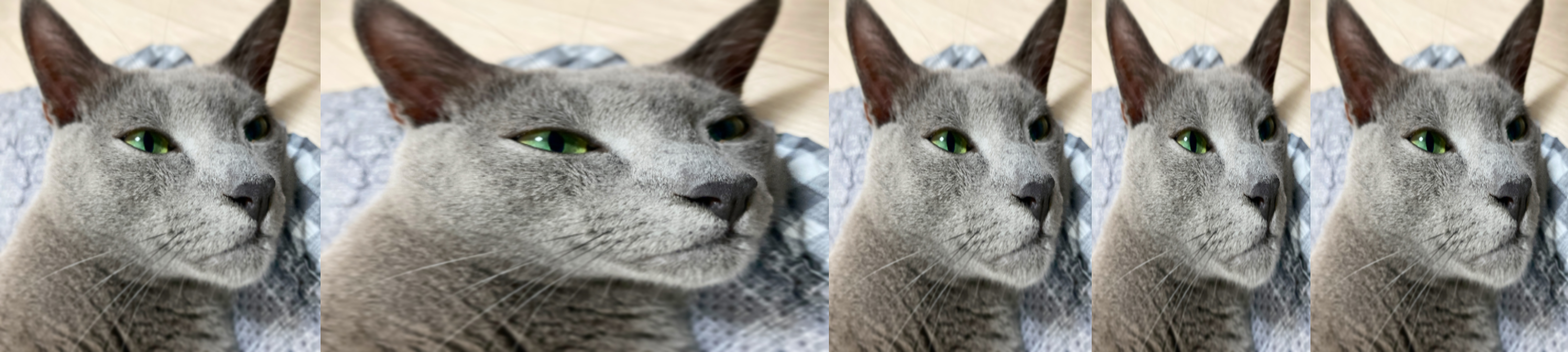
Vertical image alignment example

Source code in zerohertzLib/vision/compare.py
def vert(
    imgs: list[NDArray[np.uint8]],
    height: int = 1000,
    file_name: str = "tmp",
) -> None:
    """여러 image를 입력받아 가로 image로 병합

    Args:
        imgs: 입력 image
        height: 출력 image의 높이
        file_name: 저장될 file의 이름

    Returns:
        현재 directory에 바로 image 저장

    Examples:
        >>> imgs = [cv2.resize(img, (random.randrange(300, 600), random.randrange(300, 600))) for _ in range(5)]
        >>> zz.vision.vert(imgs)

        ![Vertical image alignment example](../../../assets/vision/vert.png){ width="600" }
    """
    resized_imgs = []
    width = 0
    for img in imgs:
        shape = img.shape
        img = _cvt_bgra(img)
        if shape[0] != height:
            tar_width = int(height / shape[0] * shape[1])
            img = cv2.resize(img, (tar_width, height))
        else:
            tar_width = shape[1]
        width += tar_width
        resized_imgs.append(img)
    palette = np.full((height, width, 4), 255, dtype=np.uint8)
    width = 0
    for img in resized_imgs:
        img_height, img_width, _ = img.shape
        palette[:img_height, width : width + img_width, :] = img
        width += img_width
    cv2.imwrite(f"{file_name}.png", palette)